Sunday, September 5, 2010

Remote Administration Trojans (RATs)

Well, this is my third post in which I'm focusing on Security Threats. This post mainly concentrates on Remote Administration Trojans or "affectionately" called RATs.
RATs as the name suggests is a Trojan which are analogous to Backdoors. The difference between RATs and Backdoors is that unlike Backdoors, RATs are not viral in nature and do not propagate themselves.

What are RATs?
RAT is a program that allows a certain person to remotely access and manage remote computers in the internet or across the local network. RATs may be either legitimate or malicious in nature. It totally depends on the person who remotely accesses the computers. A 'legitimate' person uses RATs to remotely fix user computers in a network, whereas a 'Malicious person' or an intruder would use it to achieve a total control over a user's system.

What a RAT does?
RATs can generally do the following:
  • Execute any application on the target Machine
  • Log keystrokes
  • Restart a target machine
  • Lock up a target machine
  • View the contents of any file in the target machine
  • Transfer files to or from the taget machine
  • View, kill and start tasks in the task manager.

How RATs Work?

RATs mostly come in two components:

  • Server
  • Client

The intruder launch the server program on the victim's machine by binding the installing component to the legitimate program using a binder. By this way while the legitimate program runs, the RAT actually works in the background without the user even noticing it.

Ways Of Infection:

  • The hacker can break into the system and set up his own RAT.
  • Through the internet (the most common way) by exploiting the vulnerabilities of ActiveX controls and other features of the IE.

Consequences Of RAT Infection:

  • The intruder can violate user privacy for years without the user even knowing it.
  • RATs can be used to view and disclose private priceless information like passwords, credit card details, web browsing habits, etc,.
  • The hacker might eventually destroy the whole system in order to wipe off his tracks. This can be done by formatting the hard disk drives. By this way all the files would be unrecoverably erased.

Detection Of RATs:

  • By using Registry monitors.
  • Users should also check startup files like AUTOEXEC.BAT, WIN.INI, SYS.INI and CONFIG.SYS.
  • Watching TCP streams of a particular computer.
  • Using Intrusion Detection Systems(IDS).

Removal of RATS:

  • Using effective Anti Virus solutions.
  • Using powerful Anti-Spyware solutions such as Microsoft Anti-Spyware Beta, Spyware Doctor, etc,.
  • In some cases the above solutions can fail to get rid of the RATs. Thus the user should in that case manually remove the registry entries belonging to the RAT.

Wednesday, August 18, 2010

ATM Malware

ATM users! Beware of the ATM malware!! Next time when you use your ATM card keep in mind that there is a malware lurking around and could easily burn a large hole in your pocket.
A case has already been reported in this account where a Bank of America employee stole more than $200,000 from the ATM after installing the malware. Interestingly there wasn't any record of the transaction.

The technique of the attack is indeed ingenious. It just records the Magnetic stripe information at the back of the card as well as the Personal Identification Number (PIN). The data is printed in the receipt roll when a special Master card is inserted in the card slot and launches a user interface. The data can also be stored in the magnetic stripe at the back of the master card. Then your card is open for criminals to access free money from your bank account.

The dangerous thing is that this malware can spread from one ATM to other ATMs across the world through the ATM network. Have a look at the links below:
http://www.wired.com/threatlevel/2010/04/atm-hack/

http://www.computerworld.com/s/article/9134013/ATM_malware_spreading_around_the_world_researcher_says_?taxonomyId=17&intsrc=kc_top&taxonomyName=security

Wednesday, January 6, 2010

Security threat trends for 2010

Happy New Year 2010! 2009 was a very significant year in the field of computer science. We witnessed the launch of Microsoft's new OS, Windows 7. Thankfully for Microsoft, Windows 7 received a good response and reviews from the users. But there is a dark side looming over it. According to PandaLabs forecast, as the malware circulation continues to increase exponentially, there is possibility of more malwares being created for Windows 7. Here is the link to the detailed security threat forecast for the year 2010.
http://pandalabs.pandasecurity.com/computer-threat-trend-forecast-for-2010/

Saturday, February 28, 2009

New Build of Windows 7

Oops! Sorry for being late...I had my exams and then I had to participate in a tech fest so I couldn't get any time to update my blog these all days.
Now that I got some respite from these exams, in this post I would be focusing on the new build of Windows7 (Build 7022) that has been released by Microsoft. This build has the following features:

1.The RC1 of Internet Explorer 8 is now integrated.


2.Samples of video and music tracks were added.


3.The design of the side panel was again adjusted.


4.New views of the Control Panel (Category, large icons and small icons) .


5.A few minor changes to the design of the Windows Media Player.


6.Through the programs and functions option you can now uninstall Media Center, Windows DVD Maker and Windows Media Player

In addition to these changes Windows7 theme is now available as a download in Nokia mobiles.


Wednesday, January 21, 2009

Installing Windows 7

Well, it has been days when Windows 7 beta has become available for download. Just today I stumbled on a site offering important information on Windows 7 installation. Here's the link:
http://www.windows7.cc/beta-downloads/windows-7-installation-instructions/#more-145
Before installing the beta release keep in mind that it's valid upto August 1, 2009. So install this release in a test computer. Not in your personal PC in which you are working. Moreover there's no technical support provided for this release. So if there's any problem you must sort it out by yourself.

Sunday, January 4, 2009

Fix for Generic Host for Win32 Services error

This new year I had made a resolution to fix all the problems that haunt my computer within the first 30 days of the year. Today I started with the most serious one.
I used to encounter regularly with an error message which used to read like this:
"Generic Host Processes for Win32 services has encountered with a problem and needs to close"
This error message causes the following problems:
1. The XP taskbar to change into win98 taskbar for a few seconds and then to XP taskbar again.
2. You try to disconnect the internet but the internet icon won't disappear.
3. The internet activity comes to a halt. The network icon shows the internet to be connected but still no activity occurs. You must restart the computer to start the internet activity normally.
This problem became so irritating that there was a time when I had to restart the computer 6 times in 2 hours. This problem would just drive you crazy.

After a month or so I got the solution of the problem finally. The solution goes like this:
1. Go to START menu-> Run
2. In the small box that opens type: regedit.exe and click OK button. The registry editor will open.
3. In the left pane of the window locate the following keys of the registry:
a. HKEY_LOCAL_MACHINE
b. Expand that and locate SYSTEM.
c. Expand the key and locate CurrentControlSet.
d. Now locate the Services key.
e. By expanding the Services key you will see a vast number of keys under it. Luckily they are in alphabetical order. So try locating NetBT.
f. Within the NetBT locate the Parameters key.
4. By clicking the Parameters key you can find in the right pane there is an option called TransportBindName. Double click the value against it and leave it vacant thus giving a blank value.
5. Minimise all the keys and return to the place where you located the HKEY_LOCAL_MACHINE.
6. Locate the SOFTWARE key.
7. Within the key locate Microsoft.
8. Now locate OLE key within it.
9. By clicking the OLE in the right pane you can locate the EnableDCOM . There you can find the value set to be Y. Change that to N.
10. Close the registry editor. Shut down the windows and restart the computer
You have solved the problem! Happy Computing...

Saturday, January 3, 2009

Skip Vista and Jump to Windows 7 ?

I stumbled into pcworld.in site and got several reasons why should you skip Vista and jump to Windows 7 if you are still using XP and are thinking of upgrading your OS...
Here's the link to that article . Have a look:

http://www.pcworld.in/india/columns/5800115/Soham_Raninga/TechTonicShould_you_Skip_Vista_and_Jump_to_Windows_70

Thursday, January 1, 2009

Limitations Of Windows Vista

After reading the latest post in my blog, one of my friends raised the topic over Vista and we started comparing between Vista and Windows 7. Well Vista has got some limitations due to which Windows 7 is being introduced. In this post I would be focusing on the limitations of Vista:

1.User Account Control: Vista has special feature of User Account Control to improve security but this often becomes maddening as it slows down various software installations. It can be turned off but it will result in turning off the "Protected Mode" of IE7.

2.Speed: Vista executes some typical applications slowly than XP under same hardware configuration.

3.Battery Life: Vista drains the battery of laptop more rapidly than XP reducing battery life.

4.Requirements: For Vista Aero to work you need to have a graphics card which supports DirectX 10.0. The minimum graphics memory on the graphics card is 128mb and for better performance it should be of 256mb. The minimum hard disk space required is 20GB for installation of Vista. And for Aero to work properly the processor speed should be sufficiently high. The system will run smoothly only when one has got RAM of at least 2GB though the specifications mention it to be 512MB only. Thus Vista eats up a lot of resources...


These are some of the limitations I managed to gather for you. I am posting this as I think this would be useful for me to elaborate more about Windows 7 in my subsequent posts....

Wednesday, December 31, 2008

Features New to Windows 7

Oops! Sorry to be late! I had lost touch with my blog as we had our end semester exams. I was really very busy preparing for it. Anyway my exams are now over and I am now able to now spare some time on studying more about Windows 7. The pirated copies of Windows 7 build 7000 are now available as a 2.44 GB download from Pirate Bay BitTorrent site.


As Windows 7 is still in its stages of development, the latest build developed is the Windows 7 beta build 7000. Some new changes have been made in this build which make it very different and user-friendly than Windows Vista. I am now listing some of the most prominent changes that make Windows 7 more advanced:


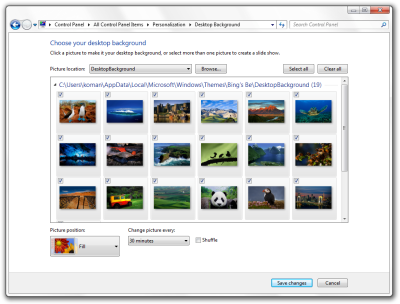
1. Desktop Slideshow: The Windows explorer now has introduced the desktop slideshow feature that can change the desktop background (or wallpaper as you say) in a designated amount of time.


2. Taskbar: The new Windows 7 taskbar is 10 pixels taller than Windows Vista taskbar for a better user control over the taskbar. There is also a special colour effect for the running applications.


3. Font: Some new changes have been made to the font features of the Windows. A new font "Gabriola" has been added.


In addition to these features some more interesting features like touch, speech and handwriting recognition have been introduced in this build. A virtual hard disk system has also been introduced for Microsoft Virtual PCs.


Tuesday, October 28, 2008

Silicon Tech Fest

The Silicon Tech Fest "Noesis" is just over. I was really busy regarding Paper Presentation and Robotics. Managing these two events at a time was really difficult for me as both of these are regarded as the most important events in any techfest.
In robotics, we had completed the bot two days before the event. But after completion, we realised that the heart of the bot i.e the base was broken. The whole labour we spent for the base of the bot for at least two months just diffused out on seeing the broken base. We had lost all hopes of participating in robotics event. After the moment of shock we realised that we must do something to at least make it possible to paticipate in the event. Of course this event must not be missed at any cost as it was our debut event and the very next tech fest was that of IIT Kharagpur. So we had to spend two sleepless nights to remake the base. At last we could manage something out and make the bot at least eligible to participate. The D-Day came and we managed to get 30 points before getting stuck in the sand trap. Though I can't say that we were successful but I can say that the event gave a great deal of knowledge and ideas regarding furthur improvement of our bot.
The paper presentation sessions were also a great help to me as I got several tips regarding right body language and the style of presenting a paper. Overall it was a good one and went smoothly even though this was my debut.
The most important benefit I got from this event was that I found several new friends and also some of my old school buddies with whom I couldn't contact after school days...

Saturday, October 11, 2008

Some Screenshots Of Windows 7

I had been searching frantically to get some good screen shots of Windows 7.And at last I got some cool screenshots...

I had already mentioned the inclusion of programmer and statistical mode in win7 calculator.You can see it right above.

Gadget gallery(A new Feature I suppose?I'm not a vista user.)
CPU Meter (Cool!)
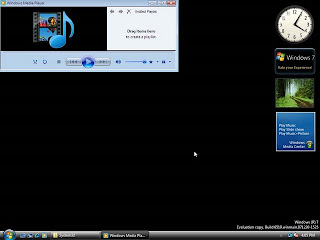
It's the Windows Media Player.

I had expected it to be entirely different from Vista.But when I looked at the screenshots it's very much similar to Vista...


Wednesday, October 8, 2008

Windows7

It's vacations now! The holidays are really very special for me,as I get loads of time to browse through the net. A few days back as I was lazily surfing the net,I stumbled upon a website mentioning about Windows 7. I became curious and searched about the topic. As usual, I went to my favourite online encyclopedia,Wikipedia to gather some info about the topic.

Whoa! I got to know that it's the forthcoming OS to be launched by Microsoft!
Before the official announcement about Windows 7,the working code name was first "Blackcomb" and then "Vienna". Perhaps "Blackcomb" or "Vienna" would have sounded better... But anyway, Windows 7 is primarily aimed at overcoming the weaknesses of "Vista" mainly regarding user controls. The secondary features include upgradation of accessories like calculator,paint and wordpad.
In calculator, a programming and statistical mode has been included; whereas in paint and wordpad a ribbon interface has been developed to make these accessories a bit more comprehensive.


PAINT FEATURE OF WINDOWS 7


WORD PAD OF WINDOWS 7


In addition to these accessories, many items have been added to control panel likeAccelerators, ClearType Text Tuner, Display Color Calibration Wizard, Gadgets, Infrared, Recovery, Troubleshooting, Workspaces Center, Location and Other Sensors, Credential Manager , Biometric Devices, System Icons, Windows Solution Center, and Display. Microsoft also assures an improved boot performance in the new OS.
Other features are not yet out but they will be announced in the forthcoming days. So wait till June 2009(unofficial reports) or January 2010(official) to get full experience of this OS...

Sunday, September 21, 2008

Hacked!

I had been silent all these days as I had become really very busy in college tasks. But I could not keep away from my blog regarding what had happened yesterday evening. This incident gave me ready answers as to how google accounts are so vulnerable regarding password security. Most of the password hacking takes place through Orkut.I have an orkut account but I dont use it so much.This might be the reason as to why my account had become an easy soft target for various orkut users who use it mainly for misuse and hacking of one's account.Yesterday I got a series of scrapbook entries.I then opened my account only to see that there were 20 communities listed in "My Communities" tab instead of my preset 5. When I opened to unjoin them.I found all of them were owned by some Upal Chakraborty.The number of members in each community were 56000 within 10 days of its creation. Strange! I got to know at this point of time that my gmail password has been hacked. I opened his webpage listed in his profile(A great blunder,I shouldn't have done!).In his webpage he had many "Tricks and tips" regarding hacking. In the first 3 points there were really very useful information regarding the topic.But in the penultimate point which he claimed to be another trick he provided some javascript and asked to paste it in the address bar and press Enter. I tried it out. And Alas! A message box appeared on my screen saying "You Are Hacked!" I am utterly confused on what will be its effects and what shall I do now.

Sunday, June 22, 2008

Just returned from West Bengal!

I just returned from West Bengal. Well when anyone asks me about my native place, an impression of Kolkata comes into his/her mind. Busy streets with traffic jams every 30 seconds(I am not exaggerating!,in some cases within 15 seconds too!), countless number of shops, and large number of old buildings indeed comes to everyone's mind when I tell them it's West Bengal. But west Bengal does not only consist of Kolkata. There various other large towns like Krishnanagar,Ranaghat, Naihati, Siliguri,etc without which the essence of this state is negligible.
Each of them has its own charm and uniqueness. I have been to Krishnanagar the most number of times as it's my native place.So let me give some tidbits about this place.
Krishnanagar is the district headquarters of Nadia district of West Bengal.


Location of Krishnanagar in Nadia District
I am listing some of the specialities of this city below:
1. It's clay toys

Krishnanagar is famous for its clay toys. Not only for its clay toys it's also famous for its sculptures.India's leading sculpturers hail from this town. Shopping there for its toys is always recommended for its large variety and beautiful designs.


2. Iskcon Mayapur

The front gate view of Iskcon Mayapur
Iskcon Mayapur is headquarters of International Society Of Krishna Consciousness(ISKCON) which has its centres all over the world.It's about 30kms from Krishnanagar.
Internal view of Iskcon temple
When I visited this place, I was bowled out by its extensive area and cleanliness (You would not find a single spec of dust in this place. Frankly speaking I feel it's the cleanest place in Earth after visiting this place.
There are many other specialties of this town which I shall describe in my subsequent posts.

Saturday, June 21, 2008

Lovely Flowers


Well,I have got a fascination for flowers...It makes me smile whenever I happen to look at them.


Bridge of flowers...


Tuesday, May 27, 2008

Exams Over...It's time to take computer courses

Well my semester exams are over....I was waiting for this day to come.After a month of struggling with books,we are now having a vacation of two months.I was sooooooo happy.But... wait....now its time to take summer training courses in C and C++.
A few days back while browsing the net I came across a website http://www.bputalert.com/
It's a website created by the student community of our university(i.e BPUT).It is essentially a BPUT student friendly website which gives information on the latest happenings in BPUT. Though the website is still in its infancy but I would say that it is a good initiative taken up by the students.
There I got to know that they are arranging a short term course in web designing.I am just a novice in this concept so I thought of applying for the course. There you have to submit your resume and then they will shortlist the candidates on the basis of it. Okay I thought let me give a try. I applied for it and happily I got selected for the course...
Well that was the happy news ...But the sad news is they strictly told me to bring my laptop in order to carry on with this course which I don't have(I only have my desktop).Today I was busy the whole day in asking for a laptop from my friends.Happily I got one but I missed my scheduled batch and would have to manage for the next forthcoming batches.
Now I have to get busy simultaneously for my C and C++ courses. I now have to search for a good training centre for the courses.

Friday, May 23, 2008

My First Blog

Well it's my first blog....
Before starting let me tell you about myself. I'm an engineering student with Computer Science as my subject.I took computer science because I'm too addicted towards it. All the time you will be finding me sitting before the computer and exploring its various features specially the windows XP. Well I find XP more interesting than Vista!
Well apart from exploring the computer I also love answering the questions related to the computer stuff in the Yahoo!Answers (Though I'm just a newcomer to it and in level 1!)
Let this post be short one. I hope to get friends who are just as computer savvy as I am...